Your business. In your pocket.

For every website we can build its own admin panel — for bookings, orders, requests, invoices and content. As an app on your phone, with push notifications, and without calling us for every change.

A back office you'll actually use

No dashboard with forty menu items nobody needs. Every panel is built around how a business actually works — and shows only what you need day to day.

Installable as an app

Straight from the browser to your home screen. No app store, no updates to install.

Push to your phone

New request, new booking: you know right away — not the next time you check your inbox.

Fully mobile

Every feature is built for the phone. Confirm bookings, write invoices, swap photos — on the go.

No ticket to us

You change texts, images, services and prices yourself. No hourly rate for a new phone number.

In practice · photo studio

The panel of Alyagraphy

This is the panel the photo studio Alyagraphy has been working with since February 2026. Real screenshots — only customer data is blurred.

Dashboard · push

The day at a glance

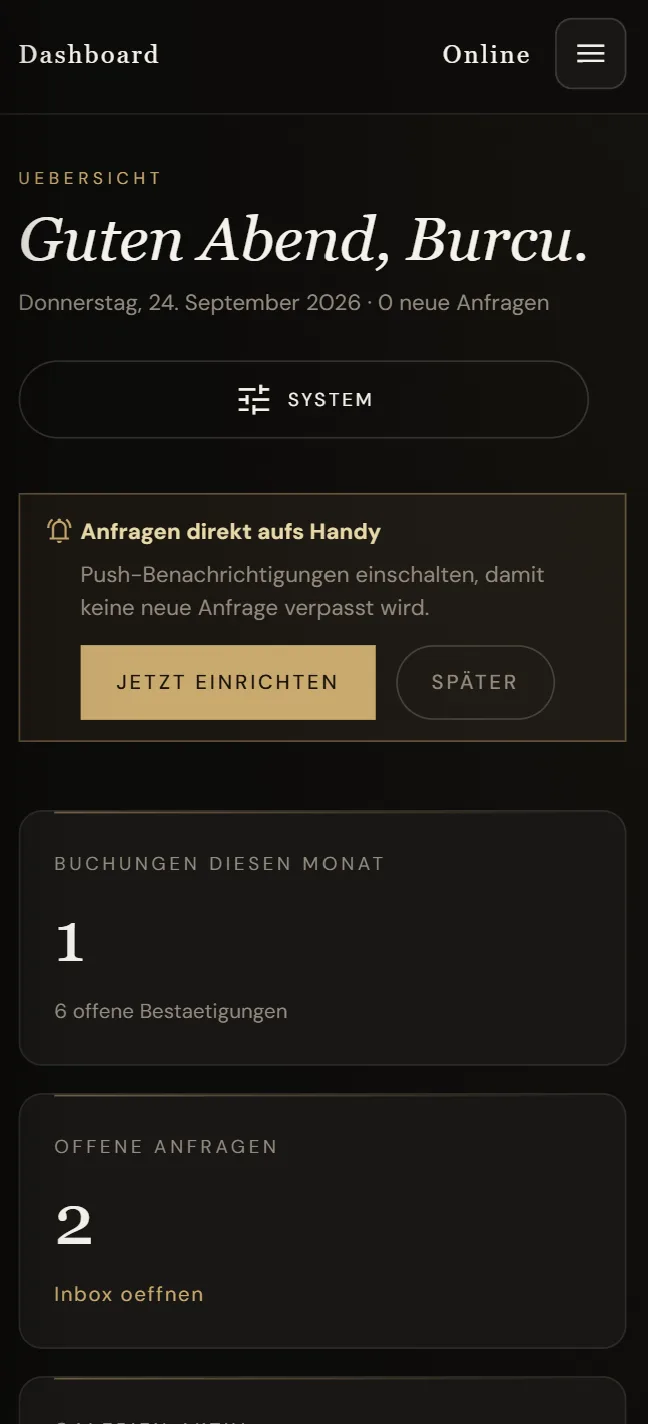
On opening, the studio sees what's coming up: bookings this month, open confirmations, new requests. One tap on “set up now” and new requests arrive as push notifications — like any other app.

  • Greeting with the date and number of new requests
  • Key figures for bookings and open requests
  • Turn on push notifications with one tap
  • An app on your home screen — no app store
9:41Dashboard: greeting, push prompt and key figures
AAlyagraphy AdminnowNew booking requestWedding photography · 14.11.2026
Bookings · workflow

Every booking with a clear next step

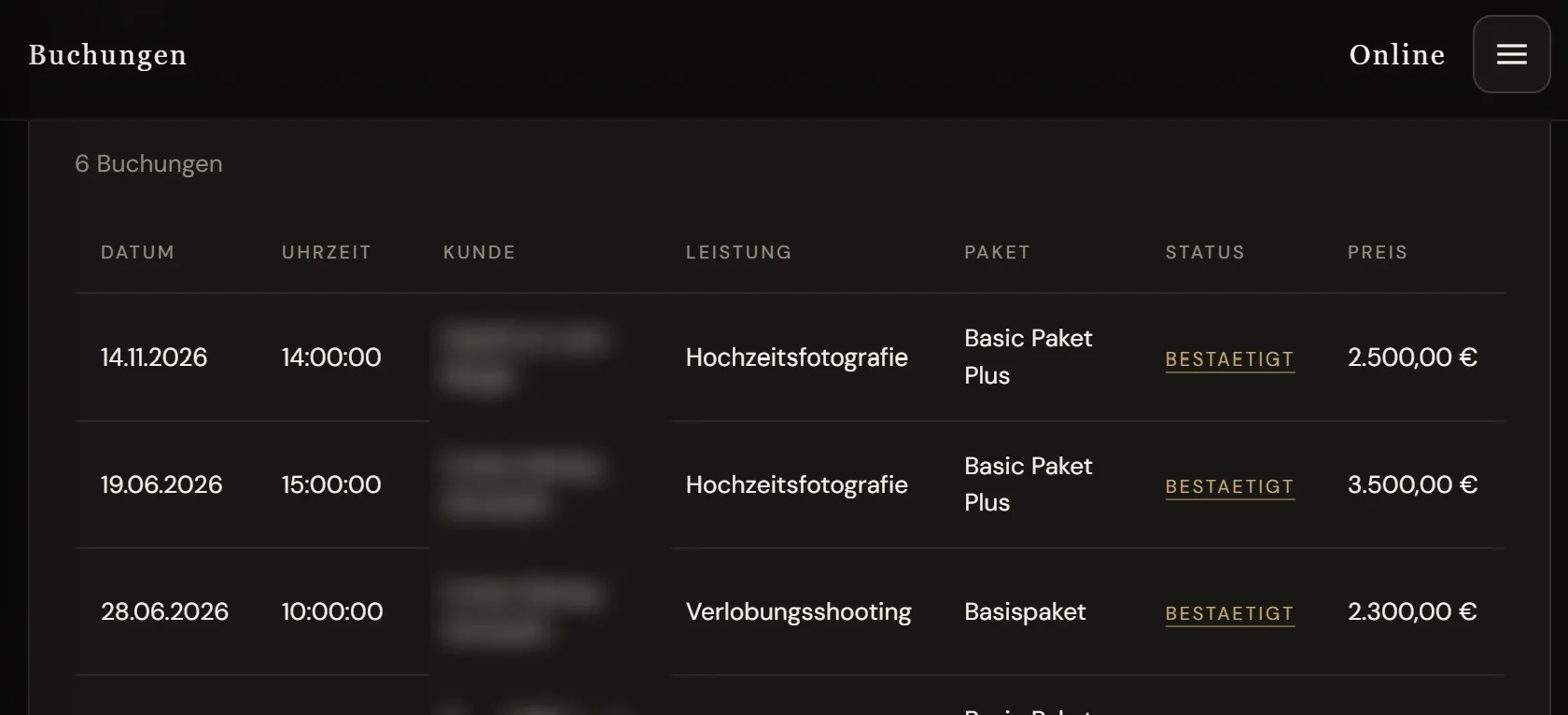
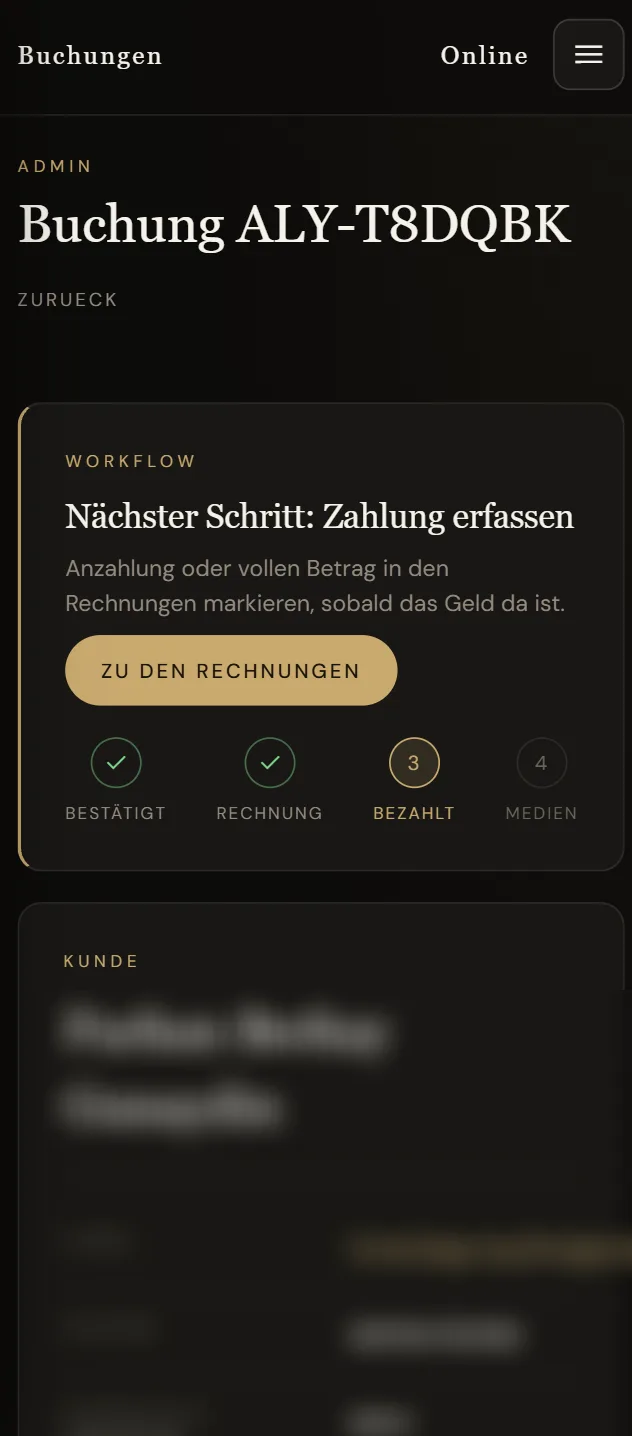
All bookings in one list — date, service, package, status and price. Inside each booking a workflow shows what comes next: confirm, invoice, record payment, deliver media.

  • Confirm or decline — with a personal message to the customer
  • Adjust the price and tell the customer right away
  • Status and internal notes per booking
  • A table on the laptop, cards on the phone
alyagraphy.com/admin/buchungen
Booking list with date, service, package, status and price
9:41Booking detail with workflow: confirmed, invoice, paid, media
Calendar

On holiday? Block the day.

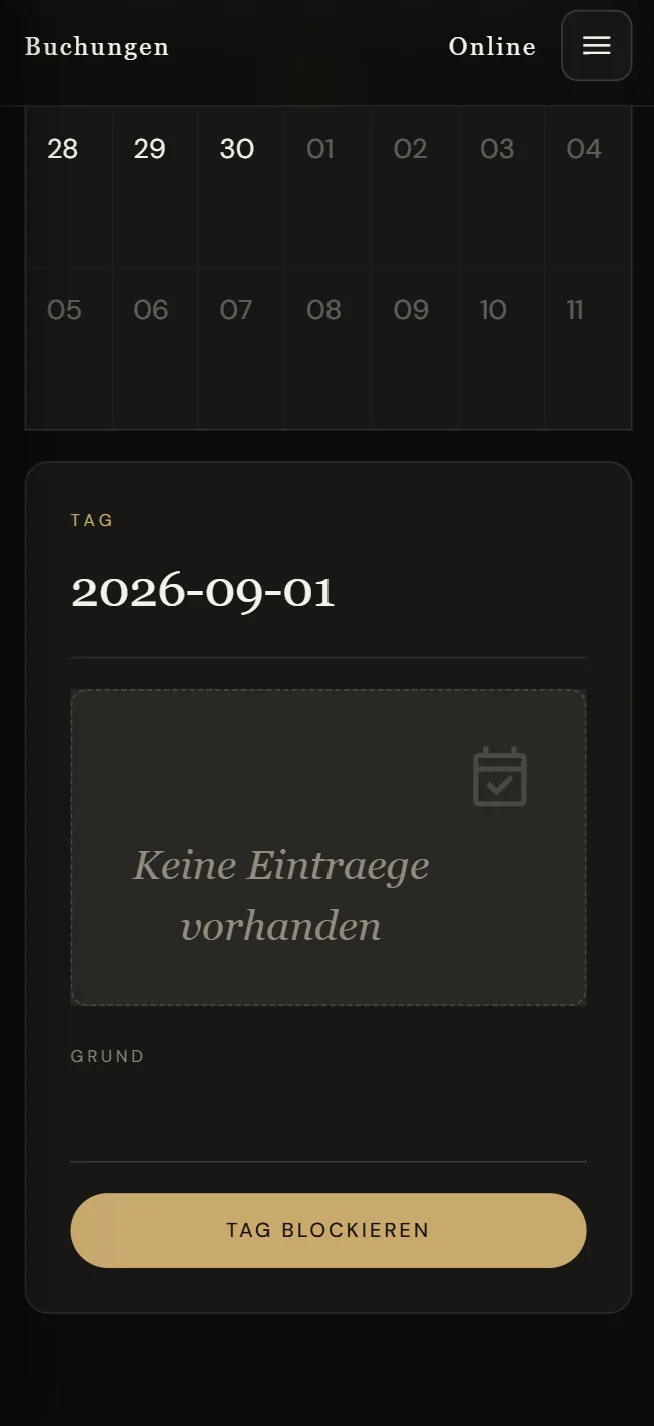
The calendar shows every appointment of the month. Tap a day, add a reason, “block day” — and the website stops taking bookings for that day.

  • Month view with every appointment
  • Block days with a reason — holiday, trade fair, sick leave
  • Online booking follows automatically
9:41Handle a request: message to the customer, confirm or decline
9:41Calendar with day detail and block-day button
Inbox

Every request in one inbox

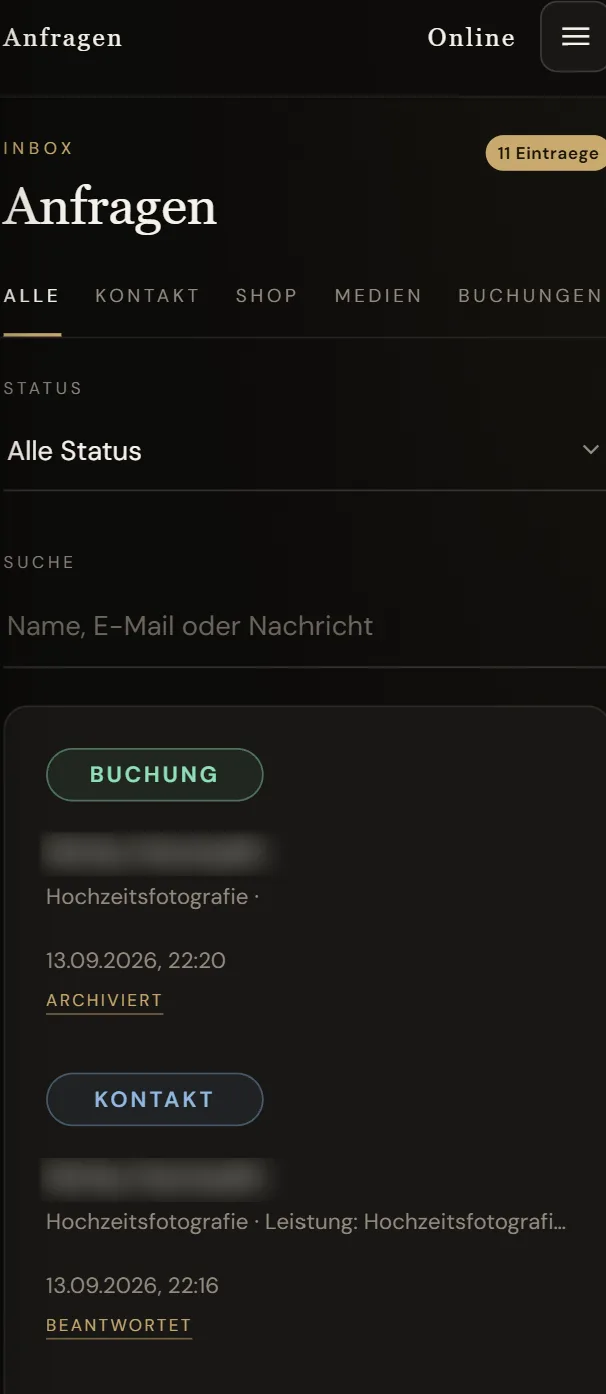
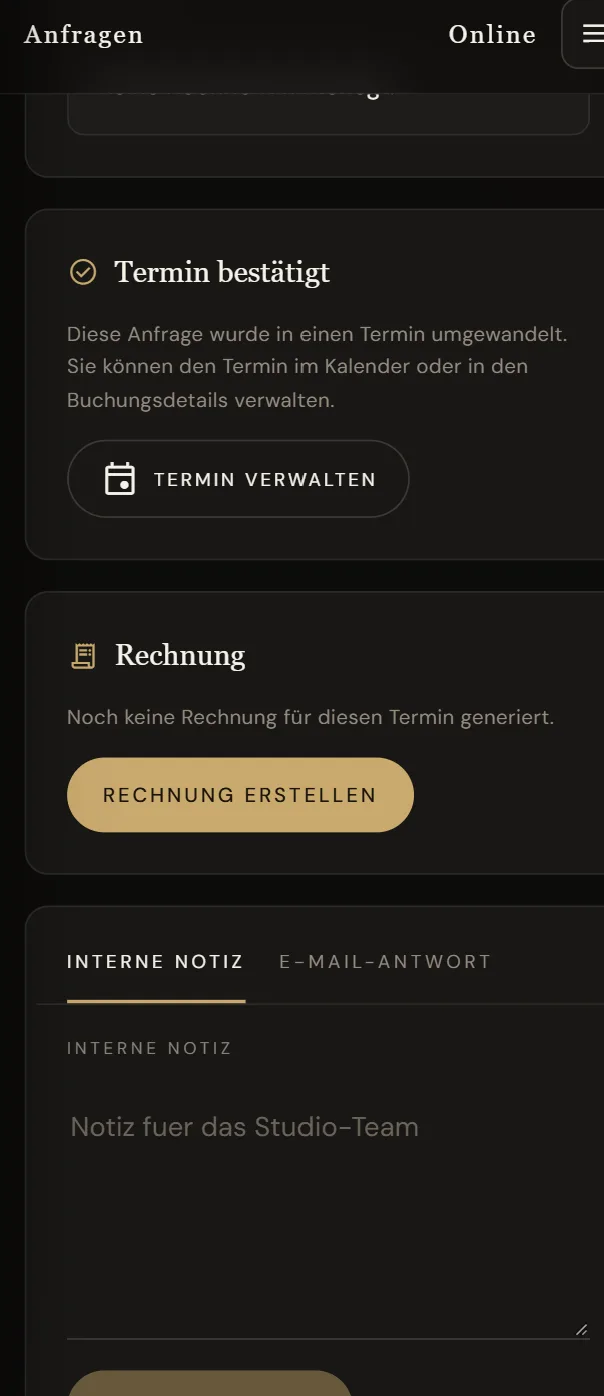
Contact form, shop, media and bookings don't end up scattered across your email, but in one inbox — with filters, search and status. One click turns a request into an appointment, and the appointment into an invoice.

  • Filter by source: contact, shop, media, bookings
  • Status at a glance: new, answered, archived
  • Internal note for the team or an email reply straight from the panel
9:41Inbox with filters for contact, shop, media and bookings
9:41Request detail: appointment confirmed, create invoice, internal note
Media delivery · the centrepiece

Deliver photos, get the album selection back

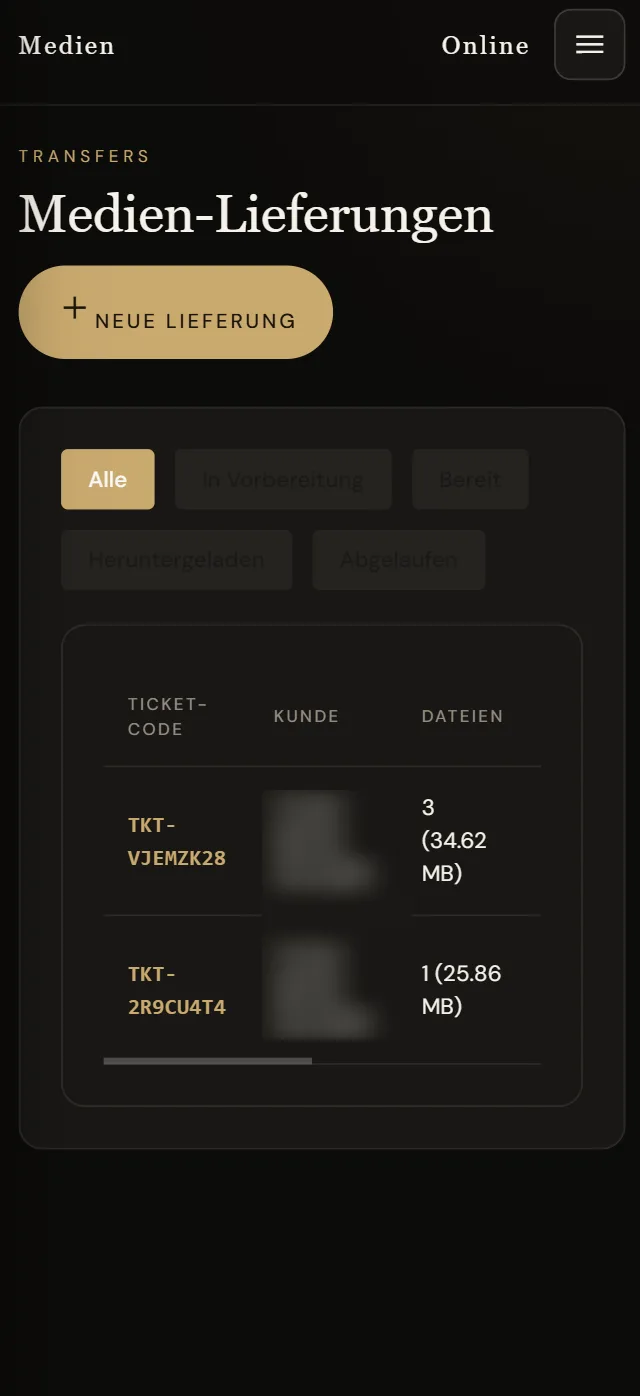
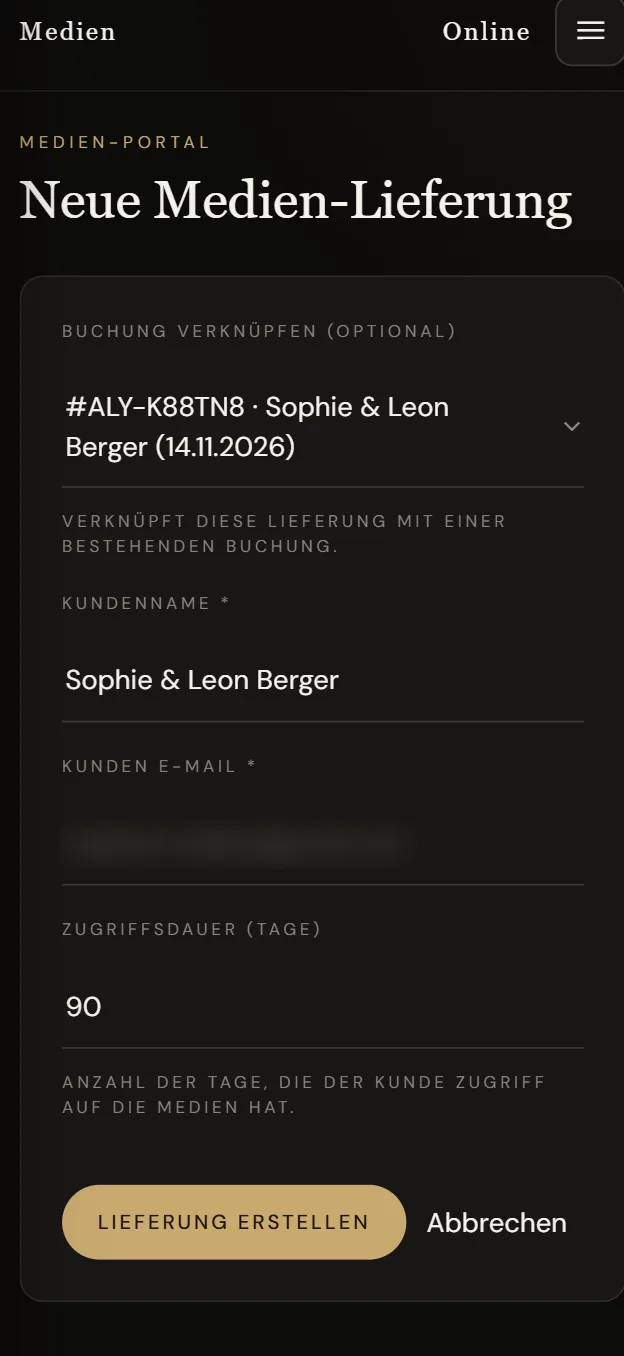
No download link that expires after a few days, no album selection over chat. The studio creates a delivery for the booking number, uploads the photos and sets how long access lasts. The customer automatically gets an email with a code, sees the photos in a private gallery and marks their album favourites there.

  • Link the delivery to the booking — name and date are already filled in
  • Choose the access period, for example 90 days
  • Status per delivery: in preparation, ready, downloaded, expired
How the customer sees it→
9:41Media deliveries with ticket code and files
9:41New media delivery with linked booking and access period
Website content · CMS

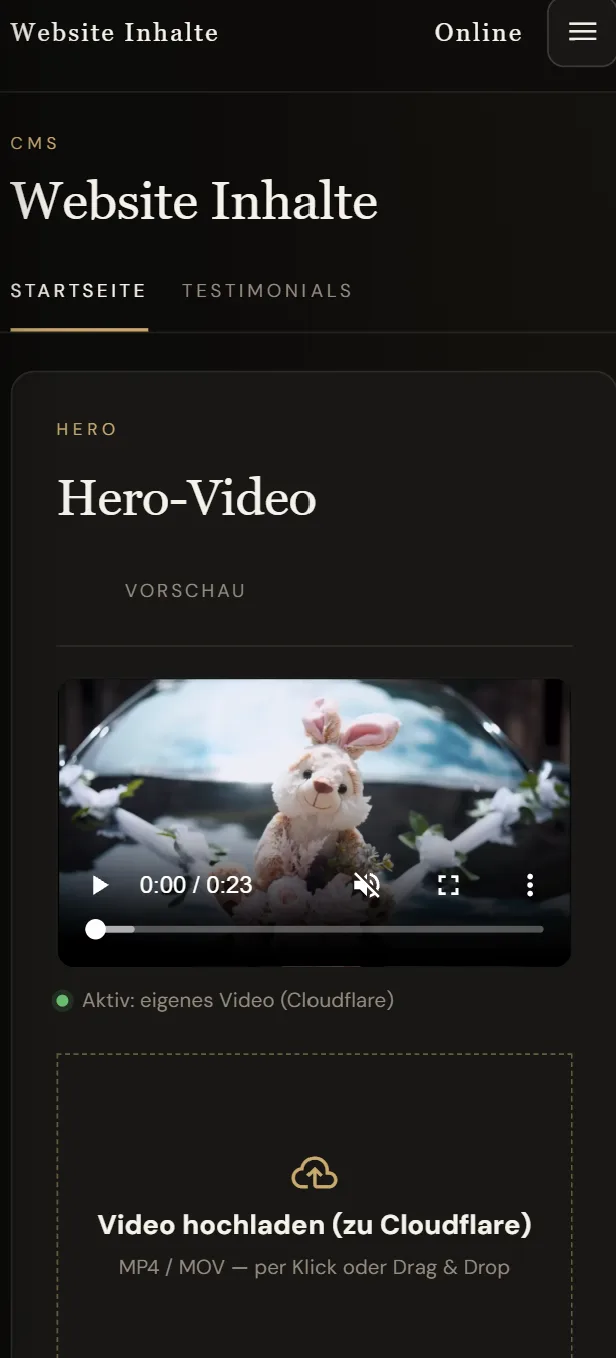
New hero video? From your phone.

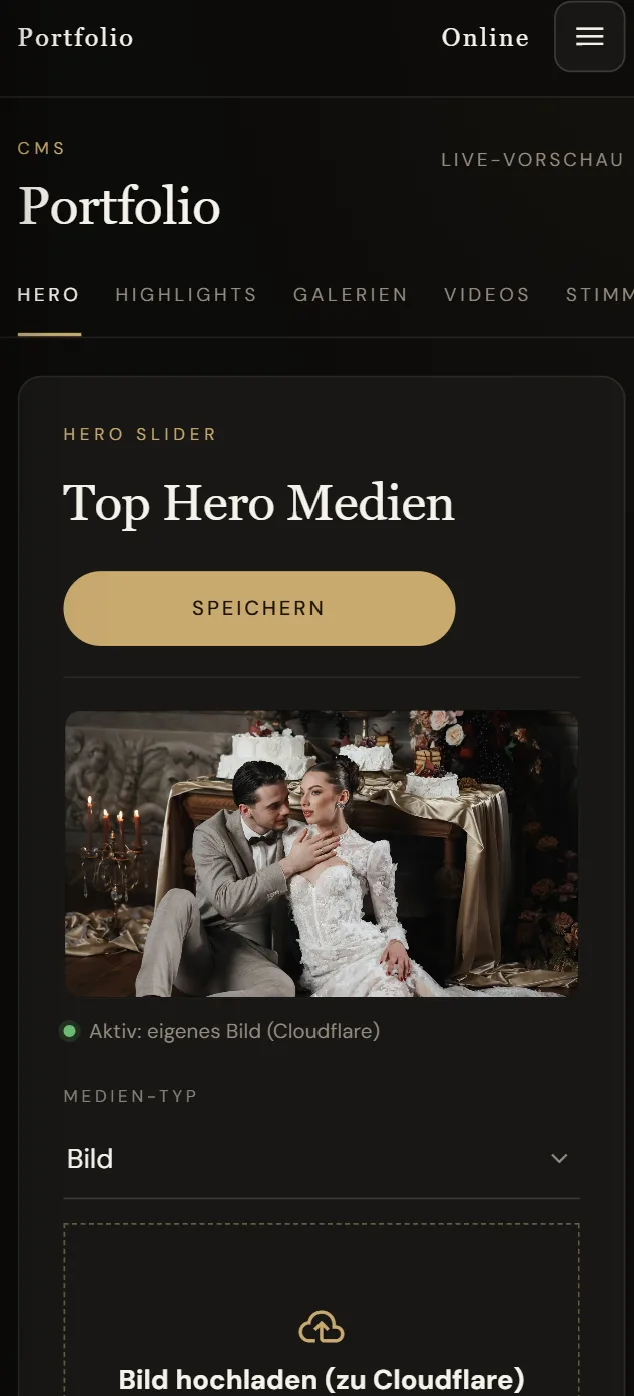
The homepage video, portfolio images, highlights, galleries, videos and testimonials: the studio swaps everything itself — upload, save, live. Files are served fast via Cloudflare.

  • Hero video and hero images by click or drag & drop
  • Portfolio: highlights, galleries, videos, testimonials
  • Manage testimonials without touching code

Many agencies earn on every little change. We don't. If you can change it yourself, you should be able to.

9:41Website content: upload hero video
9:41Portfolio: hero slider with own image

Services, add-ons and products — managed by you

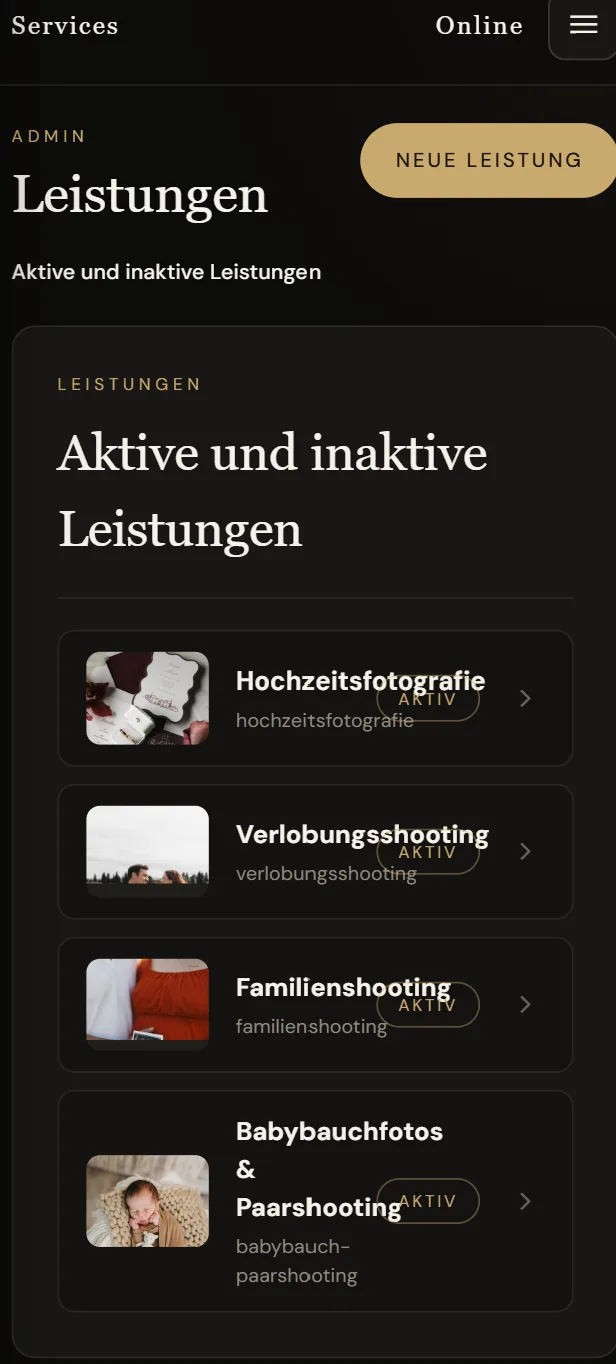
New package, new price, seasonal offer: the studio creates services, add-ons and shop products itself, switches them on or off and changes images and prices.

9:41Services: wedding, engagement, family, maternity
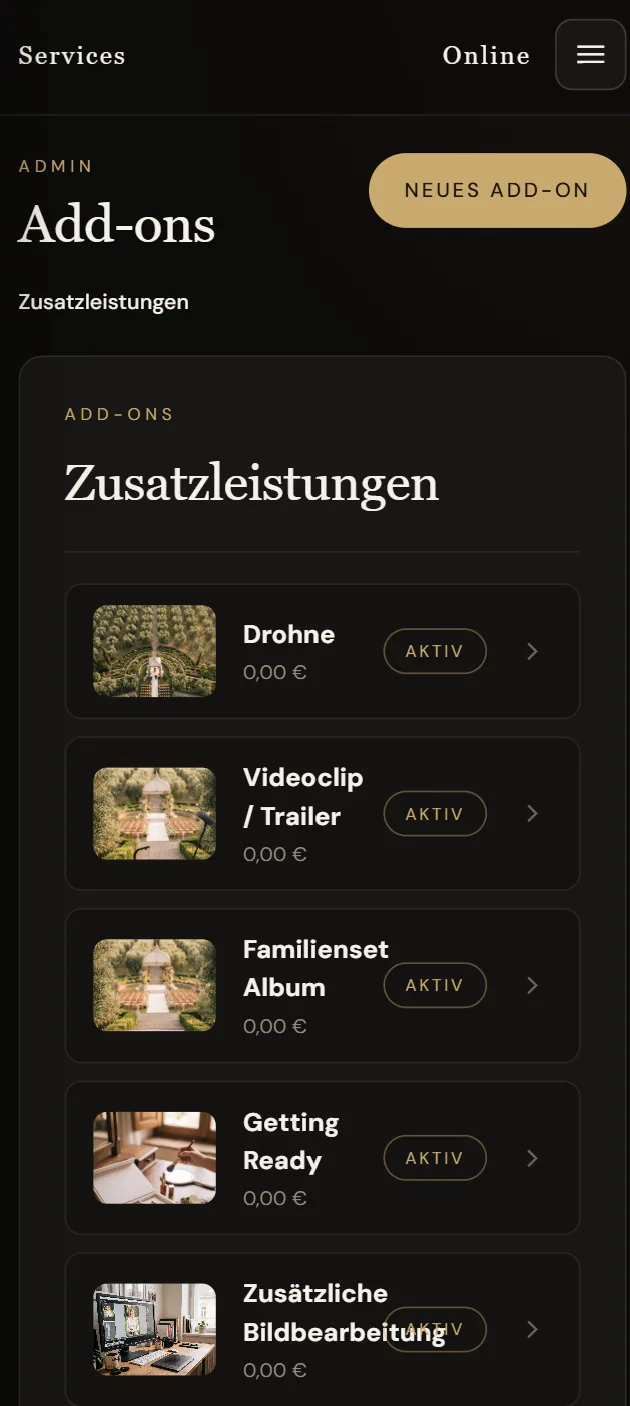
ServicesWith image, active or inactive
9:41Add-ons with image and price
Add-onsDrone, video clip, album and more
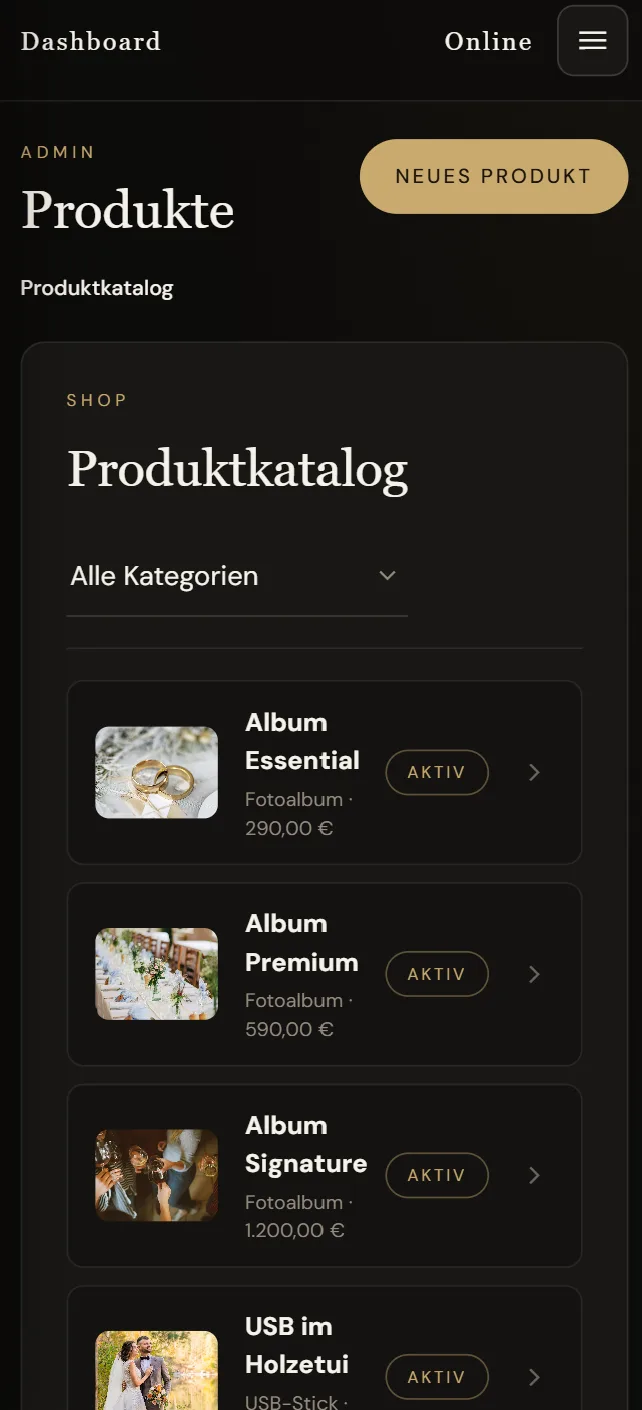
9:41Product catalogue with photo albums and prices
ProductsAlbums and USB sticks in the shop
Finance

Invoices straight from the booking

One click turns any booking into an invoice with a sequential number. Download it as a PDF, email it to the customer, mark it as paid — and filter by period for your accountant.

  • Sequential invoice numbers
  • PDF download for your accountant
  • Status issued or paid, filter by date
9:41Invoices with status, amount, PDF download and email sending
In practice · online shop

The panel of Yilmaz Souvenirs

The shop has been live since September 2025. The team handles orders, payments, returns, customers and discount campaigns entirely in the panel — from the phone too. The customers in the screenshots are test accounts.

Dashboard · urgent check

Whatever gets stuck stands out right away

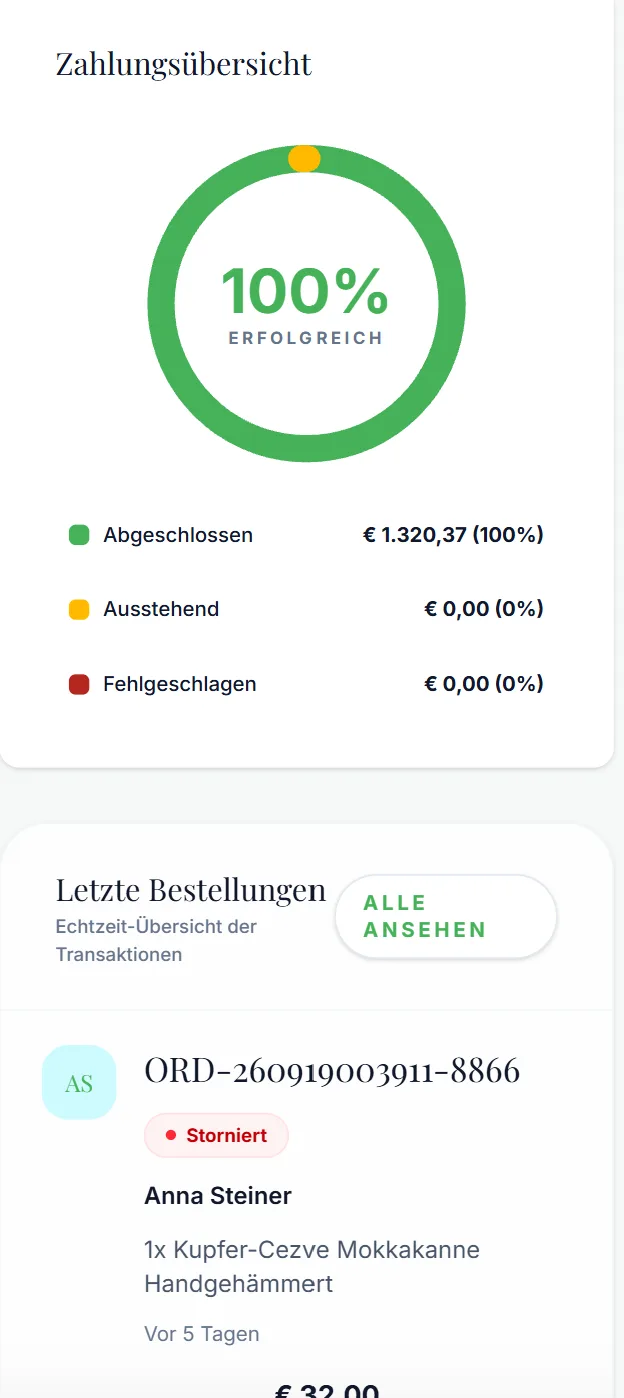
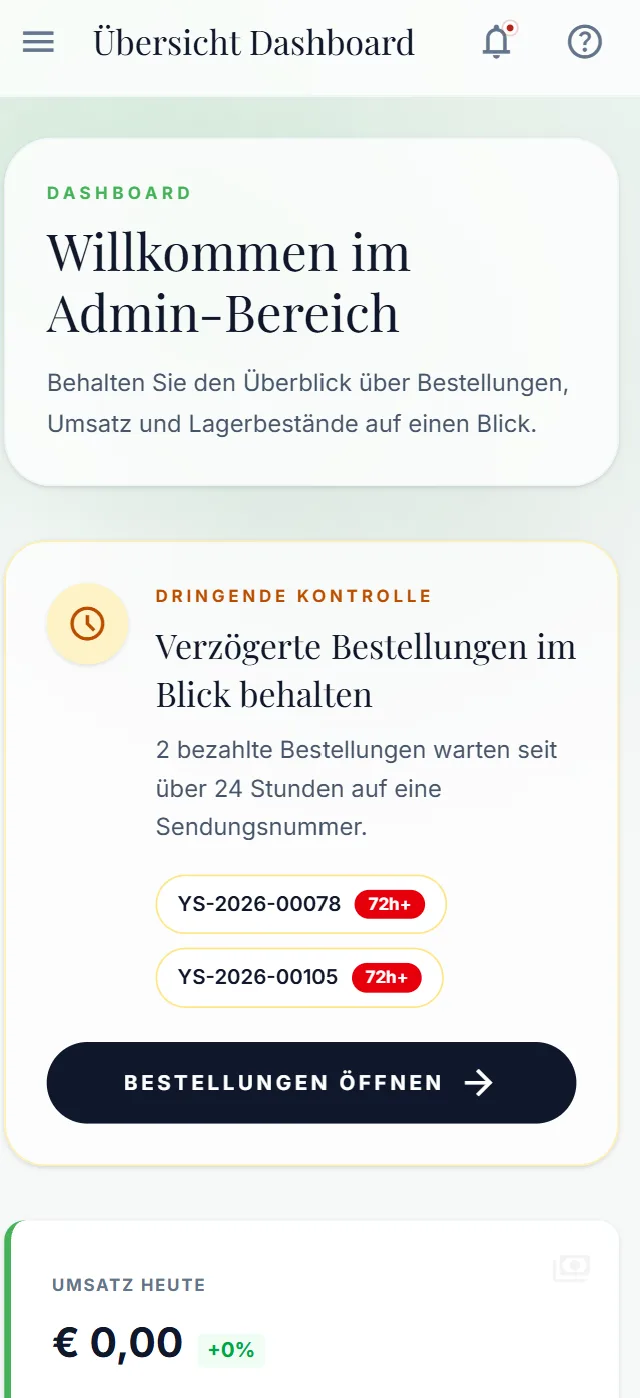
The dashboard shows revenue, payments and the latest orders in real time. And it speaks up when something is stuck: paid orders waiting more than 24 hours for a tracking number sit right at the top — marked red.

  • Alerts for paid but unshipped orders
  • Today's revenue and payment overview at a glance
  • Latest orders in real time
  • An app on your home screen, with notifications
9:41Payment overview and latest orders
9:41Dashboard with alert for delayed orders
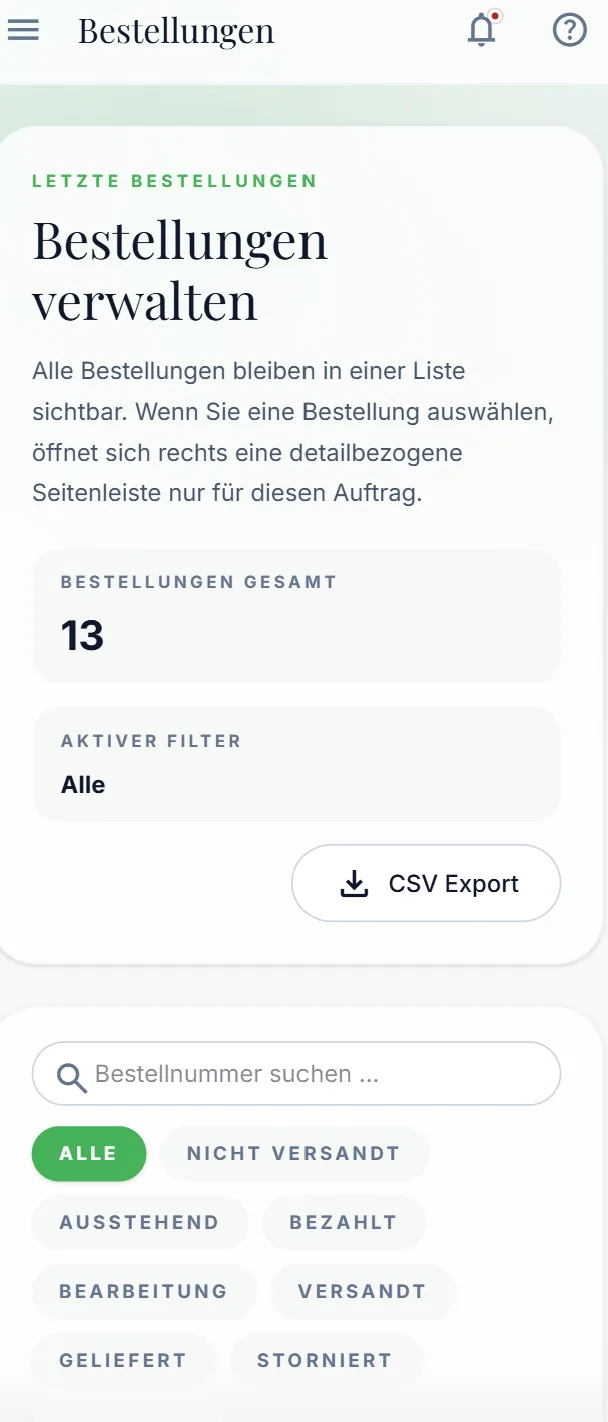
Orders

Every order, every status

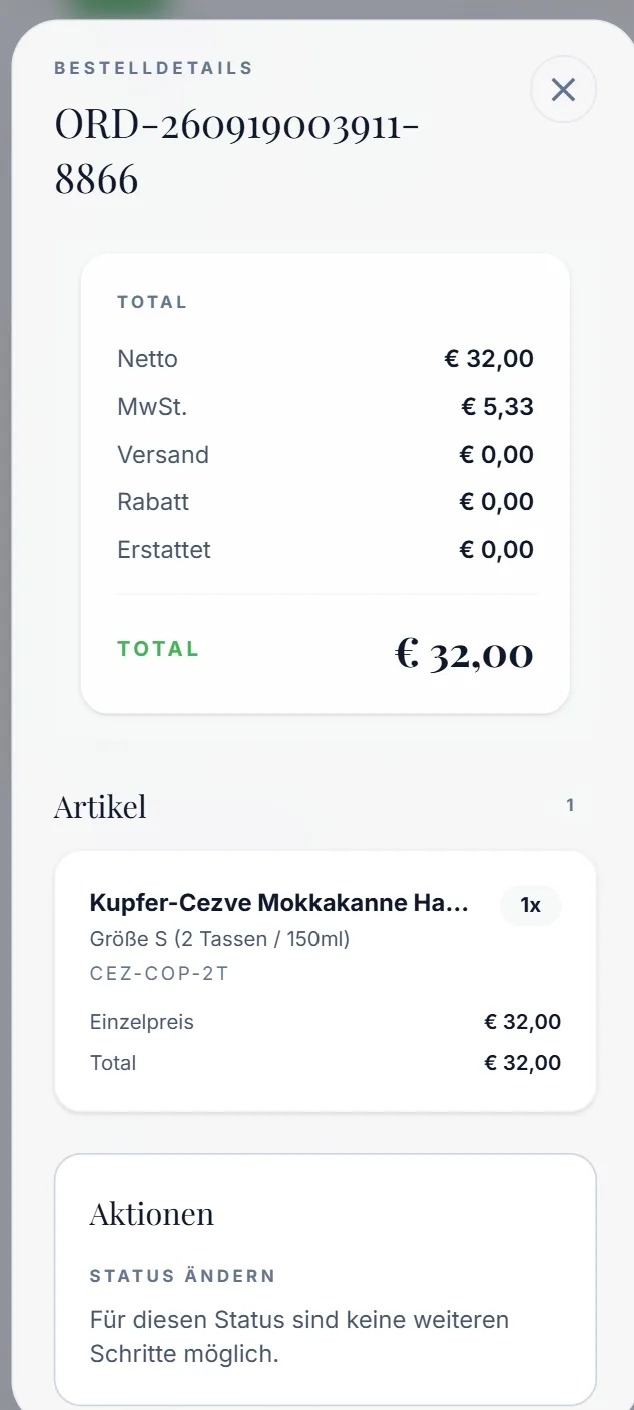
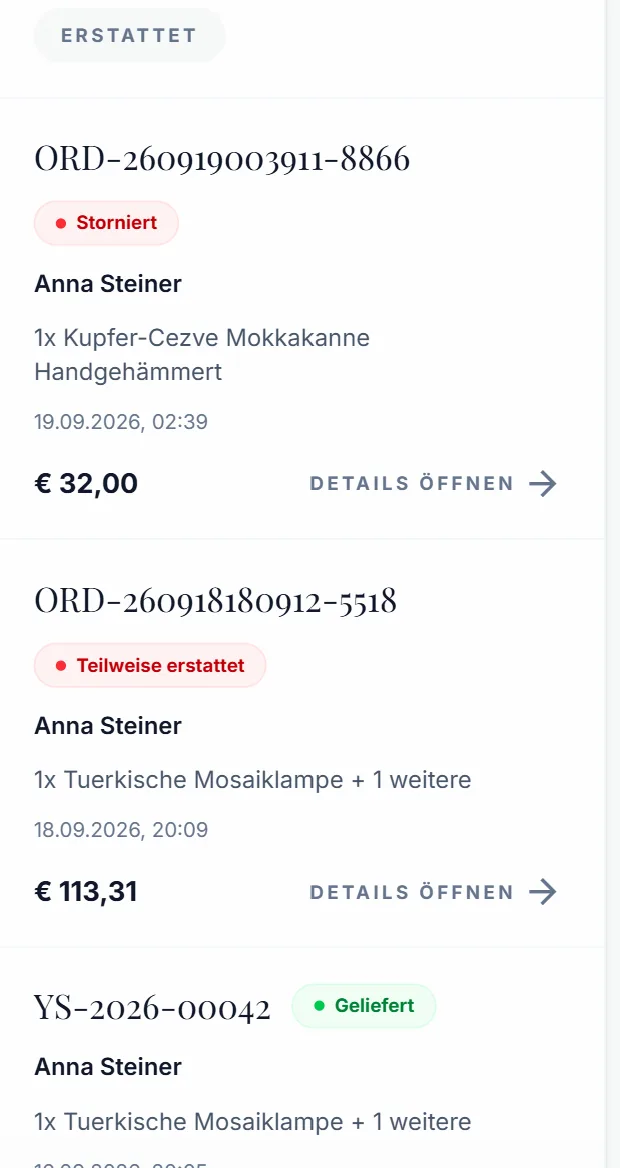
All orders in one list, filterable by status — from “not shipped” to “refunded”. One tap opens the details: items with variant and SKU, net, VAT, shipping, discount and refunds. The invoice is issued automatically when payment arrives.

  • Filters: not shipped, paid, shipped, delivered, cancelled, refunded
  • Search by order number and CSV export
  • Status, refunds and documents per order
  • Invoice issued automatically on payment
9:41Manage orders with status filters and CSV export
9:41Order details with net, VAT, shipping, discount and refund
9:41Order list with cancelled, partially refunded and delivered status
Payments · Stripe

Payments and refunds in the same panel

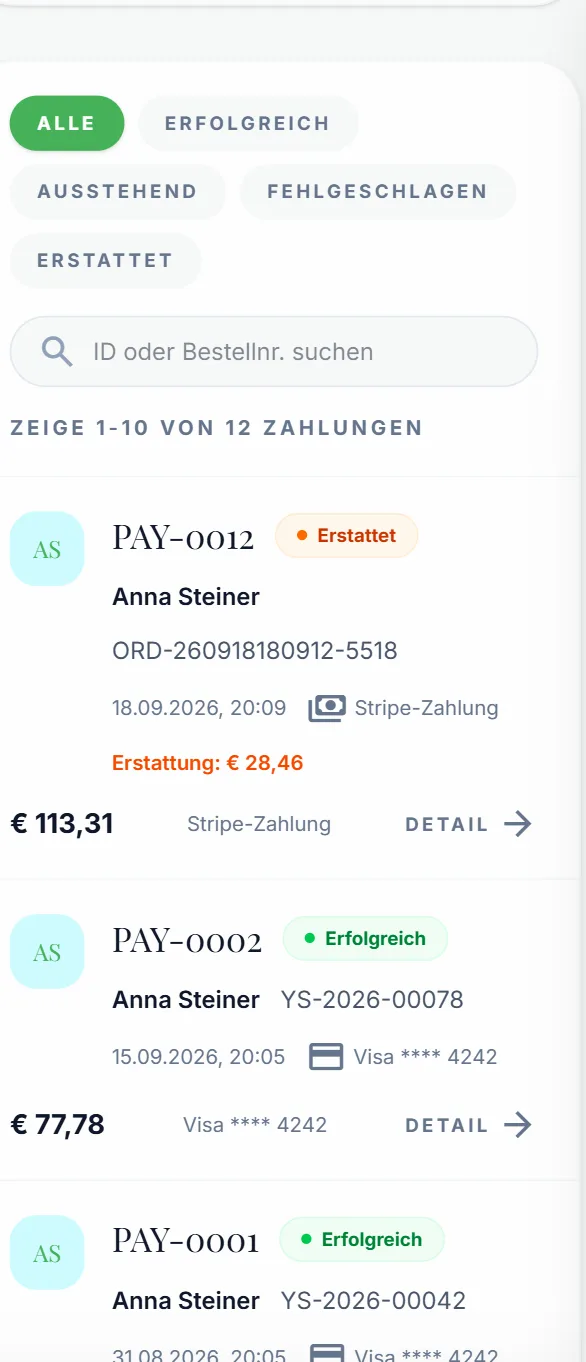
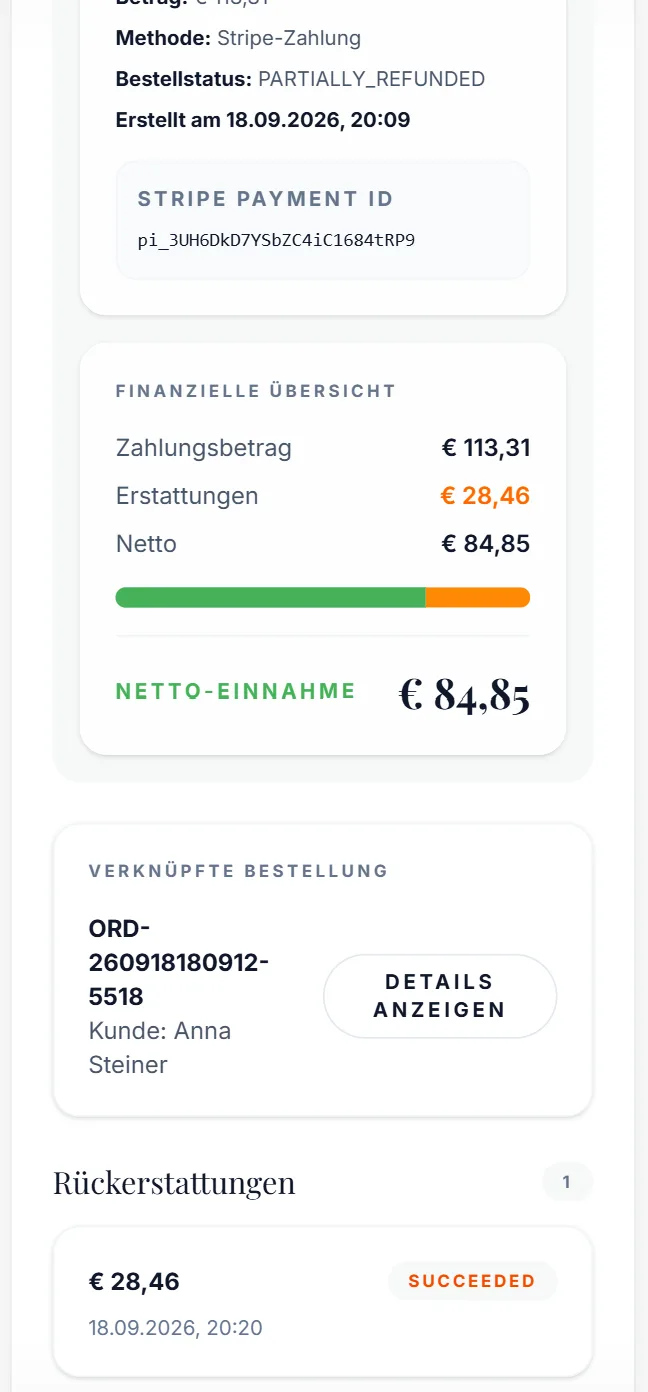
Every Stripe payment shows up with customer, order and payment method. Refunds — partial ones too — are managed in the panel and booked cleanly: payment amount, refund and net income side by side.

  • Filters: successful, pending, failed, refunded
  • Partial and full refunds with history
  • Net income per payment at a glance
  • Stripe payment ID for your accountant
9:41Payment list with status and payment method
9:41Payment detail with refund and net income
Products

New product — a few taps away

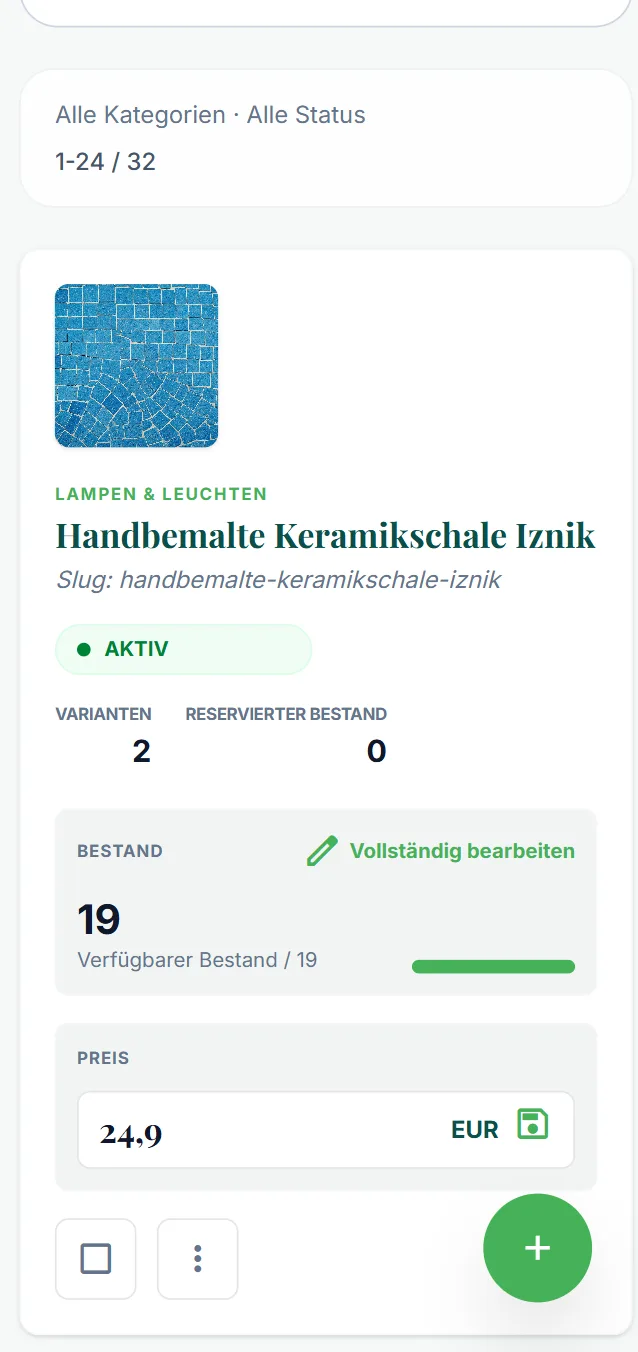
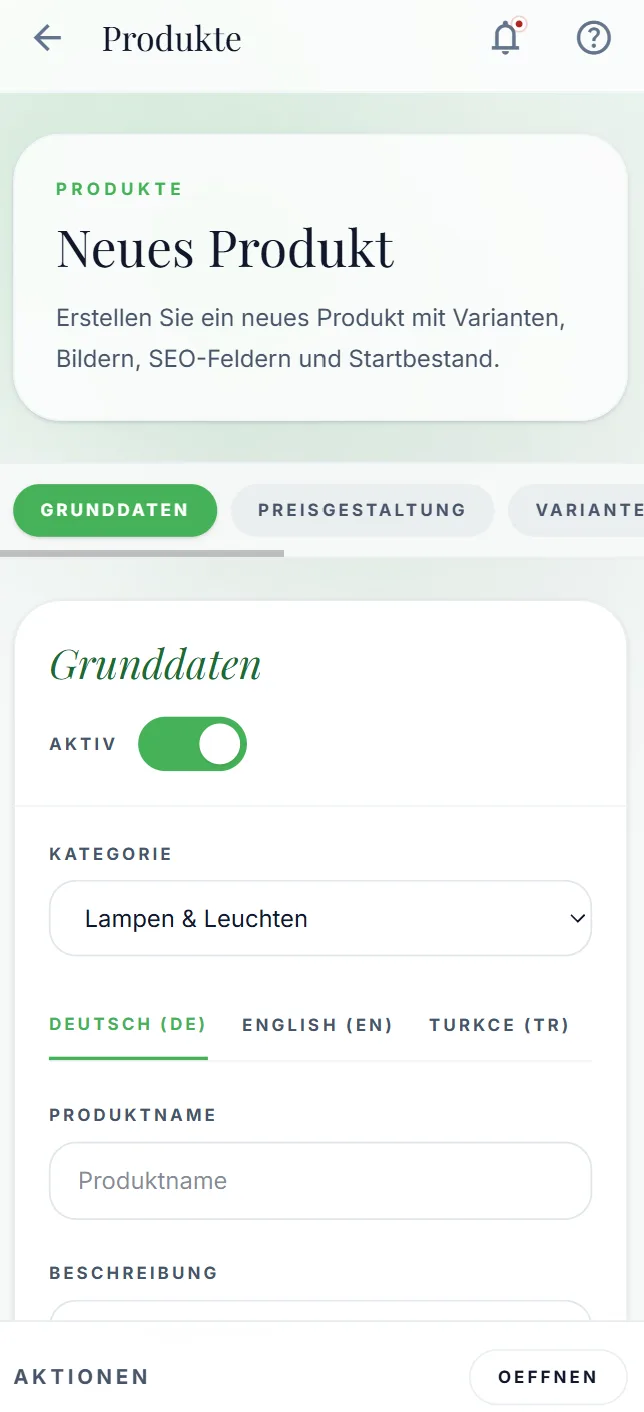
The shop adds products straight from the phone: basics, pricing, variants, images, SEO fields and opening stock — in German, English and Turkish. Price and stock can also be changed right in the list, without opening the product.

  • Variants, images, SEO and opening stock in one form
  • Texts in German, English and Turkish
  • Save the price right in the list
  • Available and reserved stock in view
9:41Product card with stock, variants and price
9:41New product with basics in three languages
Customers

Know your customers, GDPR under control

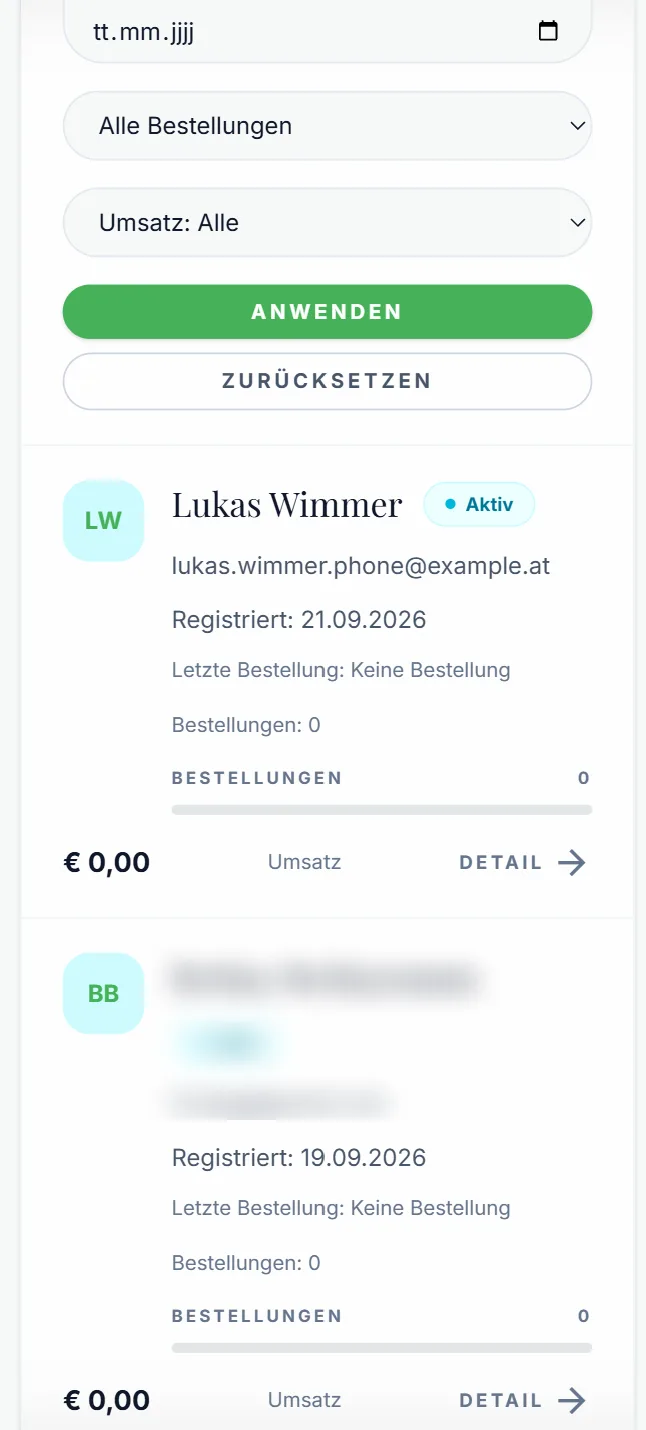
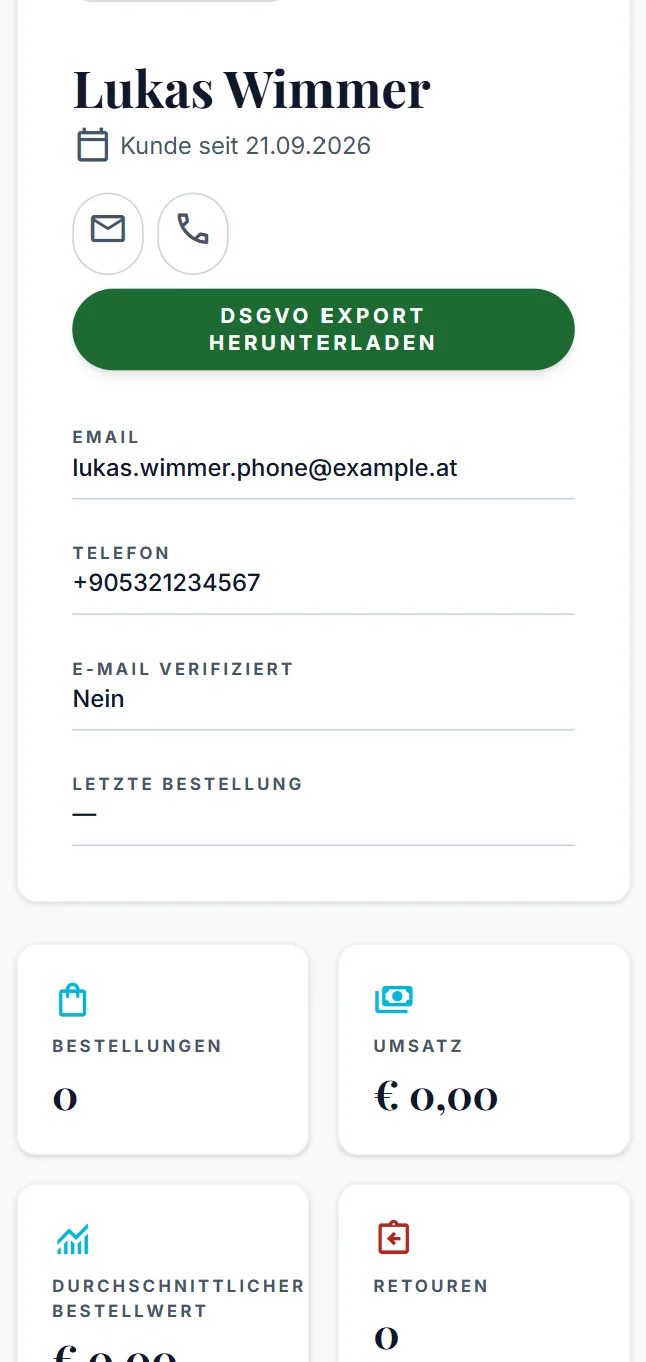
Every customer account with sign-up date, orders, revenue, average order value and returns. Filter by period, orders and revenue. And when someone asks for their data: GDPR export in one click.

  • Filter by period, orders and revenue
  • Key figures per customer
  • Email or call straight from the profile
  • GDPR export as a download
9:41Customer list with filters, revenue and orders
9:41Customer profile with GDPR export and key figures
Returns

Returns that don't get lost in your inbox

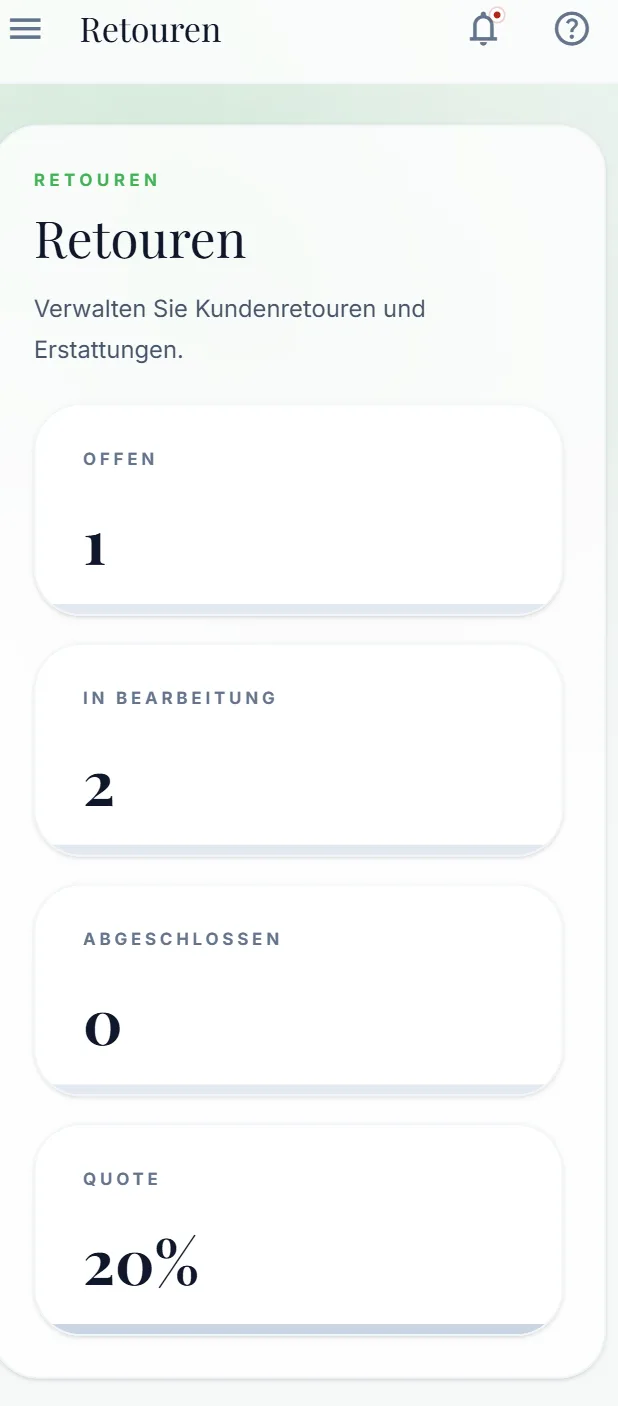
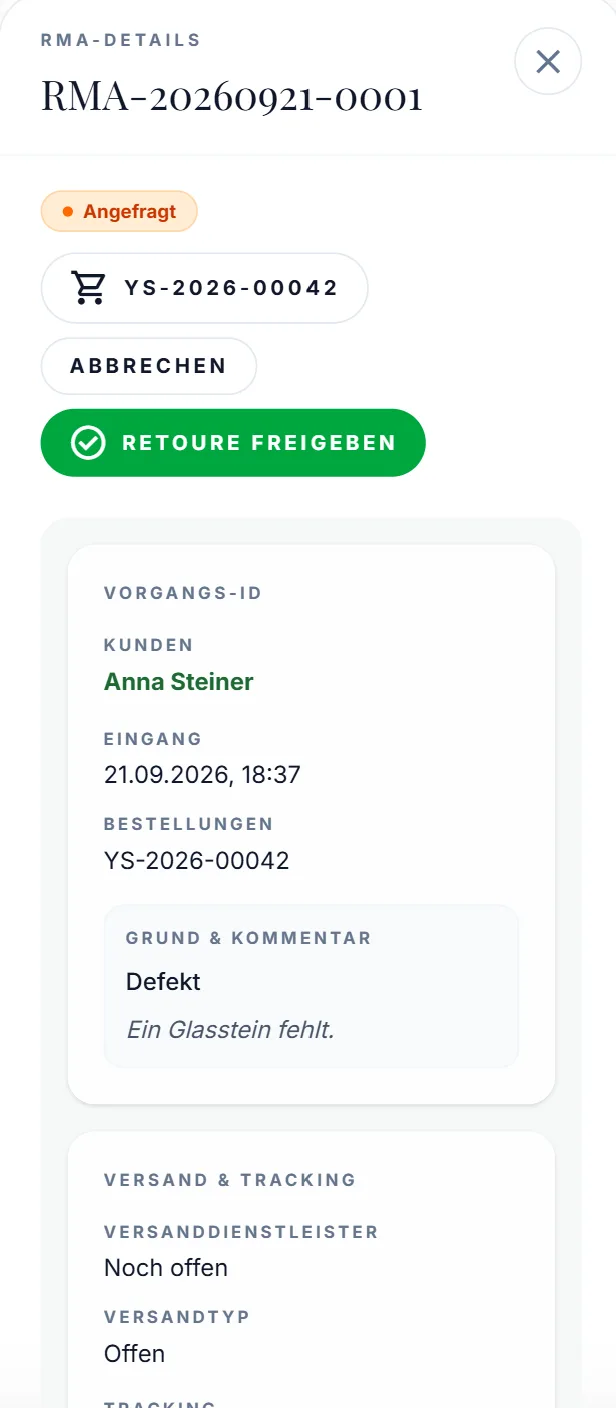
Customers request returns in the shop, the team sees them in the panel: reason, comment, order, shipping and tracking. Approve with one tap — and messages to the customer go straight from the panel to their email address.

  • Overview: open, in progress, closed, return rate
  • The customer's reason and comment
  • Approve the return, record shipping and tracking
  • Message to the customer — lands straight in their inbox
9:41Returns overview with open, in progress, closed and rate
9:41Return with reason, comment and approve button
Vouchers & discount campaigns

Launch a discount campaign — in a minute, from your phone

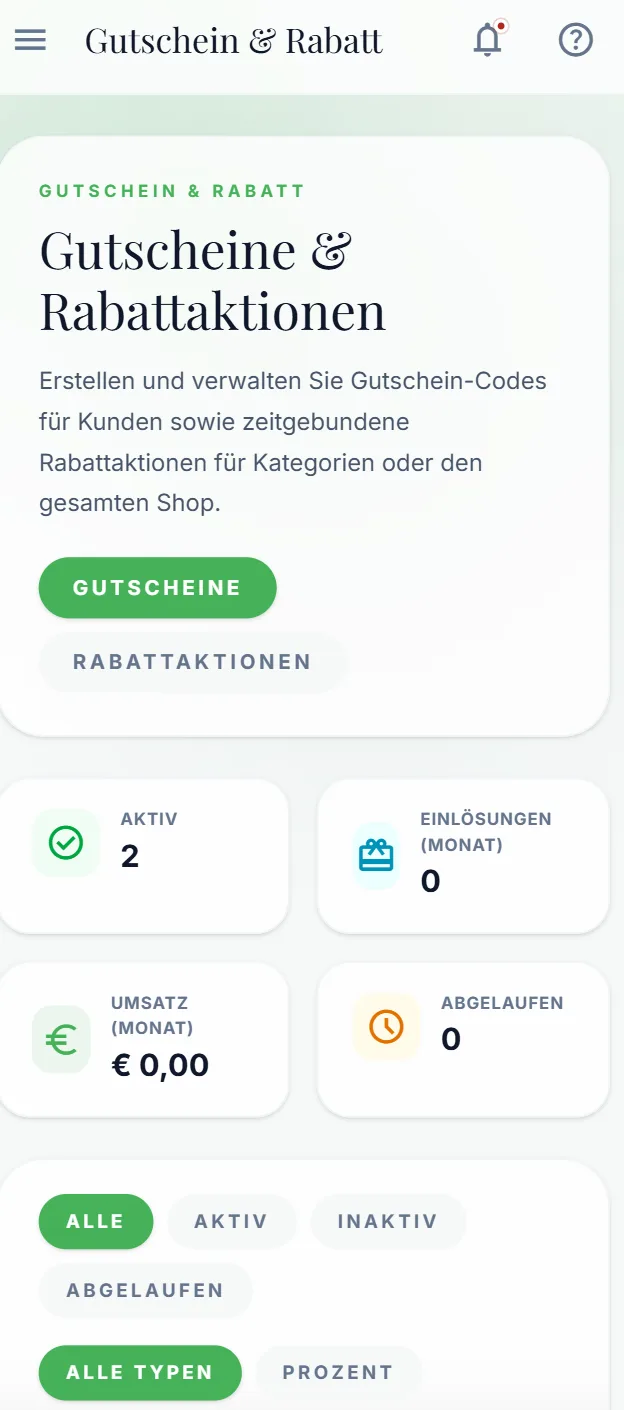
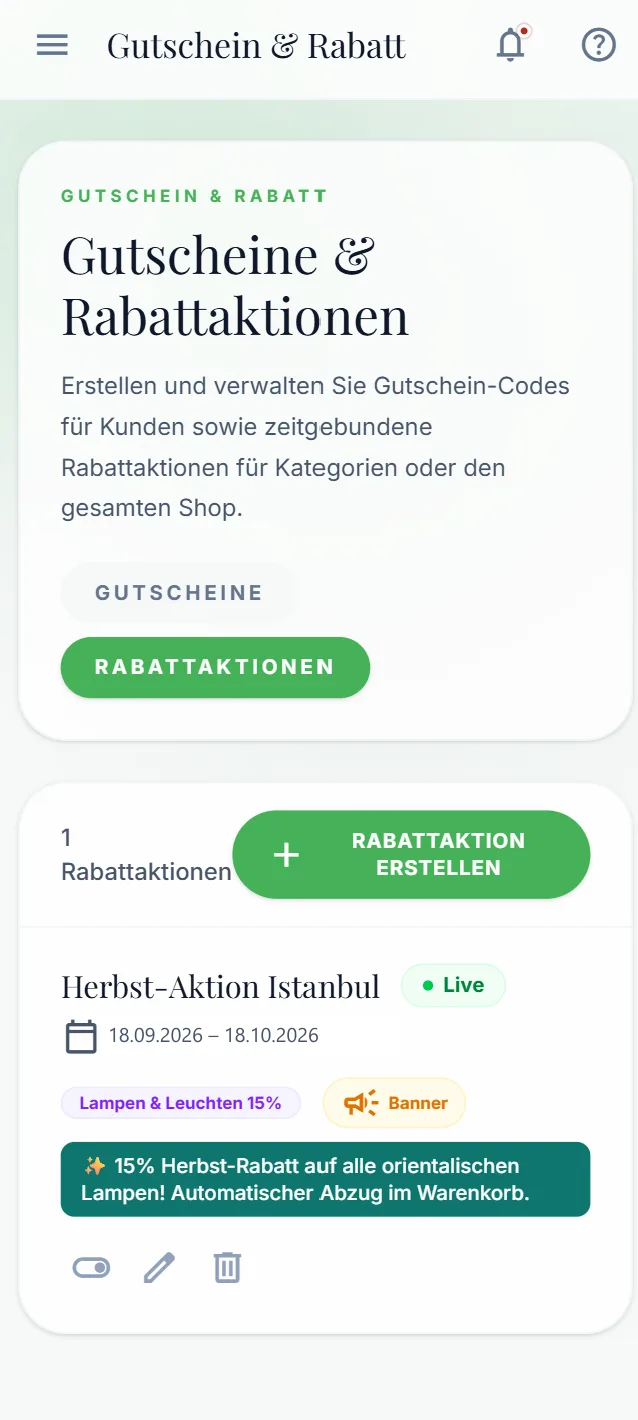
Voucher codes for customers or time-limited campaigns for a category or the whole shop: create, pick the dates, done. If you like, the campaign appears automatically as a banner in the shop and the discount is deducted in the cart.

  • Voucher codes for individual customers
  • Campaigns for categories or the whole shop, with start and end date
  • A banner in the shop — automatic, no design job
  • Redemptions and monthly revenue in view

An autumn sale used to be a job for the agency. Today it's a form.

9:41Vouchers and discount campaigns with key figures
9:41Discount campaign Herbst-Aktion Istanbul, live as a banner
Security

Access only with a second factor

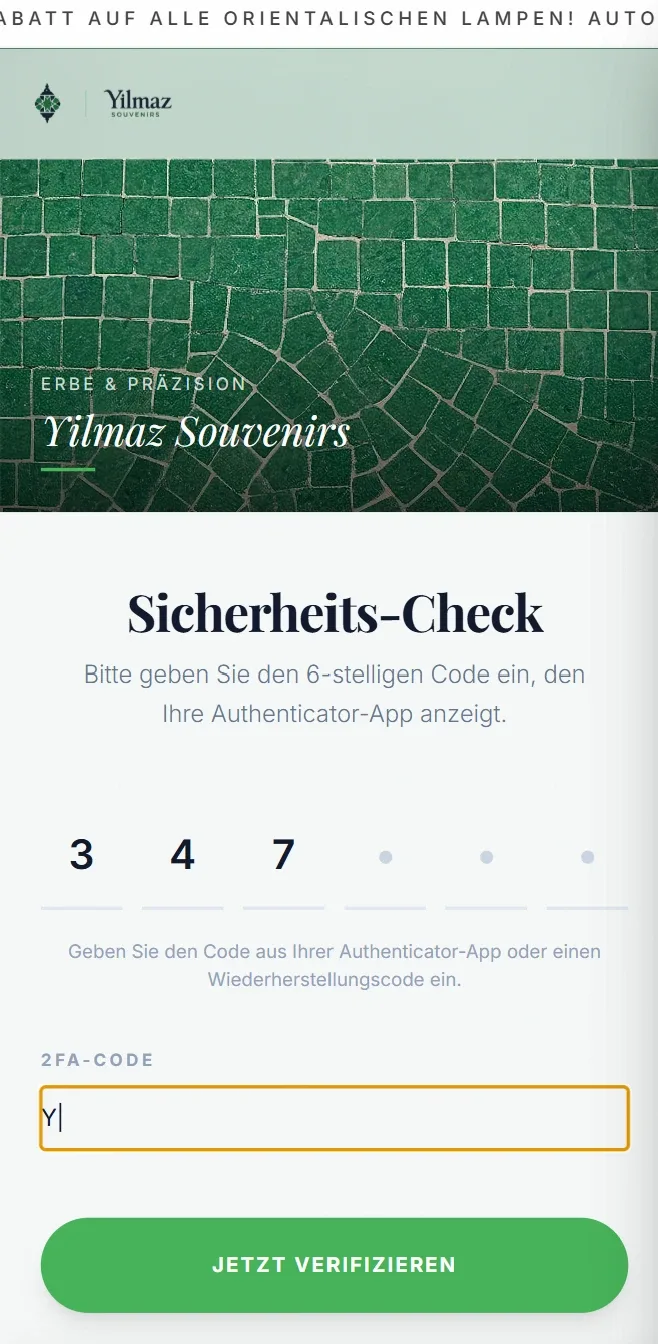
A panel with customer data and invoices needs more than a password. Our panels support two-factor sign-in with an authenticator app — including recovery codes in case the phone is ever lost.

  • Two-factor sign-in with an authenticator app
  • Recovery codes for emergencies
  • Privacy consent recorded per customer

Pictured: signing in to the Yilmaz Souvenirs panel — the autumn campaign runs as a banner at the top.

9:41Security check: entering the 6-digit code from the authenticator app

Without a panel and with one

What eats up time in a small business every day — and what it looks like with your own panel.

TaskWithout a panelWith a Buckberry panel
Change a text or imageWithout a panelEmail the agency, wait, get an invoiceWith a panelYourself, in two minutes
New requestWithout a panelSomewhere in your inboxWith a panelPush to your phone, inbox with status
Confirm a bookingWithout a panelWrite an email, update the calendarWith a panelOne tap — the customer is notified
Deliver photosWithout a panelDownload link, selection by messageWith a panelPrivate gallery with album selection
Write an invoiceWithout a panelA separate program, retype everythingWith a panelFrom the booking, as a PDF
Launch a discount campaignWithout a panelHire the agency, have a banner builtWith a panelFill in a form — banner and discount are live
Handle a returnWithout a panelEmails back and forthWith a panelApprove and notify the customer, in one step
HolidayWithout a panelAccept bookings, then cancel themWith a panelBlock the day

Tailored to your industry

The core is the same in every panel. On top come modules that fit your business exactly — built around how you work, not from a template.

Core

In every panel
  • Dashboard & push
  • Request inbox
  • Website content
  • Invoices
  • Two-factor login

Photography & studios

Example: Alyagraphy
  • Booking workflow
  • Calendar & blocked days
  • Media delivery with album selection
  • Add-ons & products

Sport & leisure

Example: Salamanda Arena
  • Pitch booking
  • Tournaments with sign-up & waitlist
  • Equipment rental
  • Happy hour

Shop & retail

Example: Yilmaz Souvenirs
  • Orders & shipping
  • Payments & refunds
  • Returns
  • Vouchers & discount campaigns
  • Customers with GDPR export
+€590one-time · included with Signature and Custom

The admin panel can be added to the Start and Pro packages. No per-user licence, no monthly panel fee — hosting and maintenance are optional through our Care plans.

Less admin. More time for business.

Show us your day-to-day — we'll show you which panel fits. 30 minutes, no obligation.

Book a call →